How to Move a Picklist: Difference between revisions
From TrainzOnline
Jump to navigationJump to search
mNo edit summary |
mNo edit summary |
||
| Line 51: | Line 51: | ||
<table width=1000 cellpadding=4 bgcolor=#ffffff> <!-- BEGIN Step table --> | <table width=1000 cellpadding=4 bgcolor=#ffffff> <!-- BEGIN Step table --> | ||
<tr valign="top"> | <tr valign="top"> | ||
<td colspan=2><span style="font-weight: 700; font-size: 15px;">Steps:</span></td> | <td colspan=2><span style="font-weight: 700; font-size: 15px;">Steps: To Locate and Copy a Picklist:-</span></td> | ||
</tr> | </tr> | ||
<tr valign="top"> | <tr valign="top"> | ||
| Line 271: | Line 271: | ||
<table bgcolor=#ffffff> | <table bgcolor=#ffffff> | ||
<tr valign="top"> | <tr valign="top"> | ||
<td colspan=2><span style="font-weight: 700; font-size: 15px;">Steps: | <td colspan=2><span style="font-weight: 700; font-size: 15px;">Steps: To Copy a Picklist Between Different Computers:-</span></td> | ||
</tr> | </tr> | ||
<tr valign="top"> | <tr valign="top"> | ||
| Line 309: | Line 309: | ||
<table width=1000 cellpadding=4 bgcolor=#ffffff> <!-- BEGIN Step table --> | <table width=1000 cellpadding=4 bgcolor=#ffffff> <!-- BEGIN Step table --> | ||
<tr valign="top"> | <tr valign="top"> | ||
<td colspan=2><span style="font-weight: 700; font-size: 15px;">Steps:</span></td> | <td colspan=2><span style="font-weight: 700; font-size: 15px;">Steps: To Move the Picklist:-</span></td> | ||
</tr> | </tr> | ||
<tr valign="top"> | <tr valign="top"> | ||
| Line 429: | Line 429: | ||
<td> | <td> | ||
<span style="font-size: 17px;">'''More Tutorials and Guides to Using Trainz'''</span><br> | <span style="font-size: 17px;">'''More Tutorials and Guides to Using Trainz'''</span><br> | ||
*'''<span class=" | *'''<span class="plain;">[http://online.ts2009.com/mediaWiki/index.php/HowTo How to Guides]</span>''' | ||
*'''[[Driver Commands List]]''' | *'''[[Driver Commands List]]''' | ||
*'''[[Session Rule List with Parameters|Session Rules List (Alphabetical) with Parameters]]''' | *'''[[Session Rule List with Parameters|Session Rules List (Alphabetical) with Parameters]]''' | ||
| Line 453: | Line 453: | ||
</table> | </table> | ||
---- | ---- | ||
This page was created by Trainz user '''<span class=" | This page was created by Trainz user '''<span class="plain;">[http://online.ts2009.com/mediaWiki/index.php/User:Pware pware]</span>''' in October 2018 and was last updated as shown below. | ||
---- | ---- | ||
[[Category:How-to guides]] | [[Category:How-to guides]] | ||
Latest revision as of 23:58, 8 September 2026
|
 |
|

|

Access Your Current Picklists |
 |
 |
 |
| Steps: To Locate and Copy a Picklist:- | ||||||||||||||||||||||||||||||||
 |
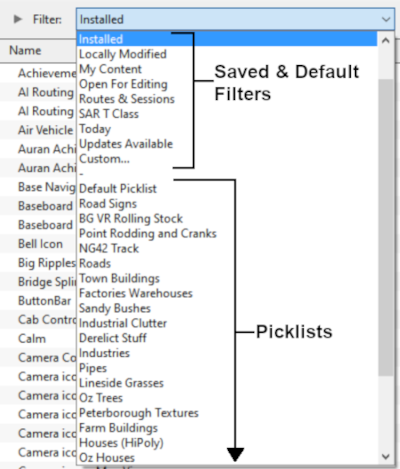
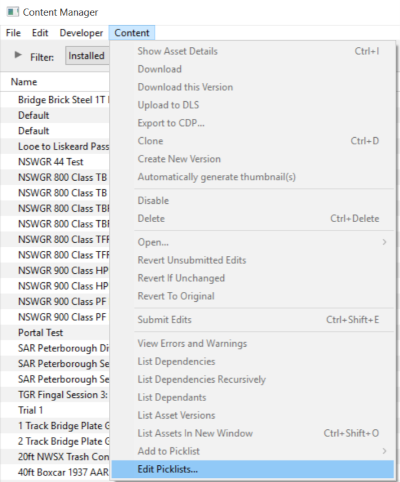
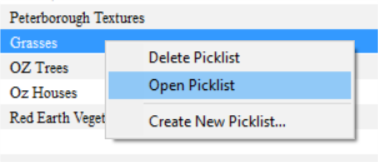
Open Content Manager and Your Picklists
|
|||||||||||||||||||||||||||||||





 |
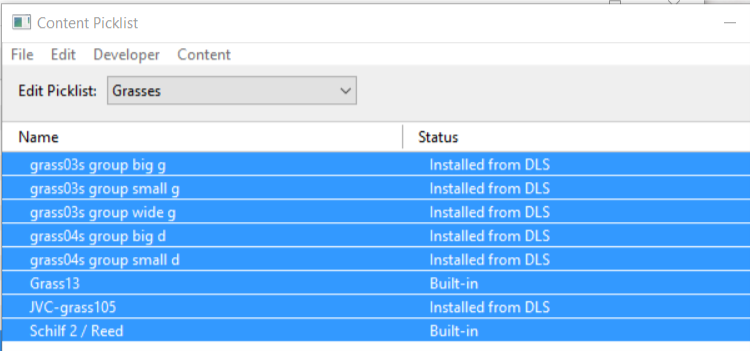
Select the Picklist Contents:
|
 |
Copy the List to a New Window:
|
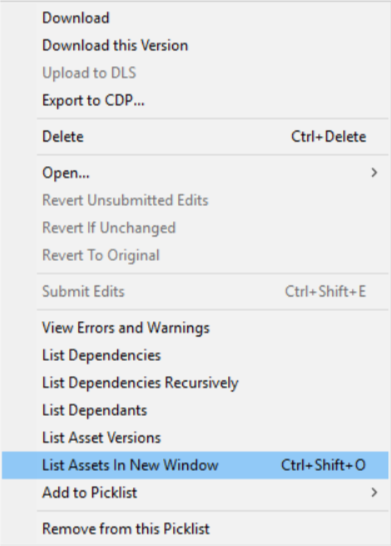
 |
Copy Assets in Picklist:
|
|||||||

Transfer the List to Another Copy of Trainz |
|
 |
|
|
||||||||||||||||||

| Steps: To Move the Picklist:- | |||||||||||||||||
 |
Open CM in the Destination Trainz and Create a New Filter:
|
||||||||||||||||

 |
Create a New Picklist:
|
||||||||||
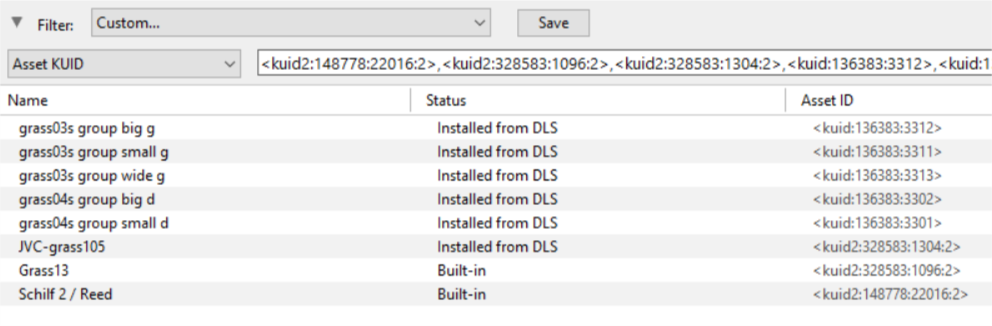
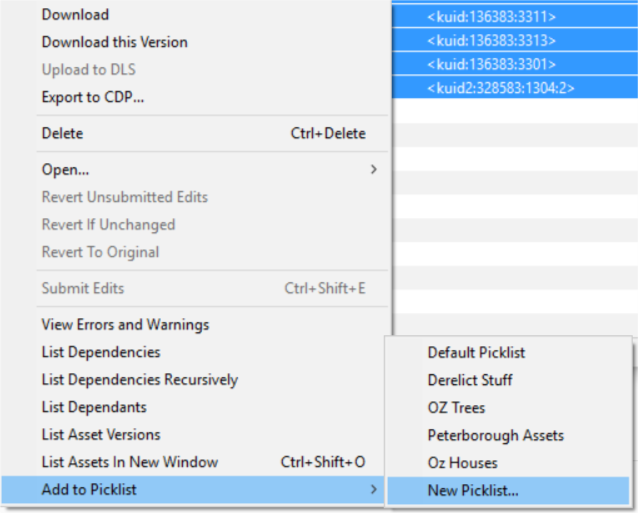
 |
Name the Picklist:
|
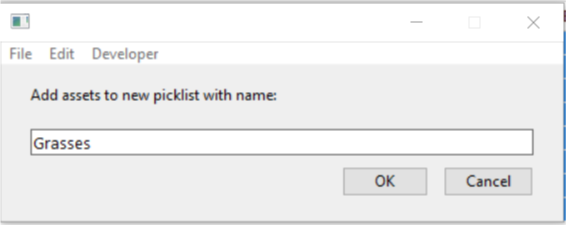
|
|
Trainz Wiki
|
|

This page was created by Trainz user pware in October 2018 and was last updated as shown below.

