Help:Surveyor Objects Road Traffic: Difference between revisions
From TrainzOnline
Jump to navigationJump to search
No edit summary |
No edit summary |
||
| Line 6: | Line 6: | ||
Note that region assets must use correctly configured traffic assets for the traffic to appear. | Note that region assets must use correctly configured traffic assets for the traffic to appear. | ||
Return to [[Help:Edit_Environment|Edit Environment]] | |||
Return to [[Help:Surveyor_Main_Menu|TRS19 Surveyor Main Menu]] | |||
Return to [[Help:TRS2019_Surveyor|TRS19 Surveyor]] | |||
Return to [[Help:TRS19|TRS19 Help Page]] | Return to [[Help:TRS19|TRS19 Help Page]] | ||
[[Category:TRS19]] | [[Category:TRS19]] | ||
[[Category: Help]] | [[Category: Help]] | ||
Latest revision as of 02:53, 1 August 2018
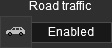 Road Traffic Toggle

This option will turn road traffic on and off in your route.
The traffic on the route (As well as which side it drives on) is set by the Region asset, which is selected when you first create your route. You can also change this by opening the Main Menu on the top toolbar, then click on 'Edit Route', then select the desired region.
Note that region assets must use correctly configured traffic assets for the traffic to appear.
Return to Edit Environment
Return to TRS19 Surveyor Main Menu
Return to TRS19 Surveyor
Return to TRS19 Help Page
