How to Backup a Picklist: Difference between revisions
From TrainzOnline
Jump to navigationJump to search
m replaced all <font> tags with <span style=...> tags, removed all image hyperlinks |
mNo edit summary |
||
| Line 1: | Line 1: | ||
Picklists cannot be saved as . | Picklists cannot be saved as '''.CDP''' files so they cannot be backed up using that method. This guide will show you how to backup a '''Picklist''' in TRS19 or TANE (both programs use identical methods).<br> | ||
<table cellpadding="4" bgcolor="Aquamarine"> | |||
<tr valign="top"> | |||
<td>[[file:LinkWiki.PNG|link=]]</td> | |||
<td> | |||
* For instructions on how to '''create''' a Picklist, see the Trainz Wiki page '''[[How to Create a Picklist]]''' | |||
* For instructions on how to '''move''' a Picklist, see the Trainz Wiki page '''[[How to Move a Picklist]]''' | |||
</td> | |||
</tr> | |||
</table> | |||
<br> | |||
='''Access Your Current Picklists'''= | ='''Access Your Current Picklists'''= | ||
Revision as of 06:20, 14 October 2019
Picklists cannot be saved as .CDP files so they cannot be backed up using that method. This guide will show you how to backup a Picklist in TRS19 or TANE (both programs use identical methods).
 |
|
Access Your Current Picklists
 |
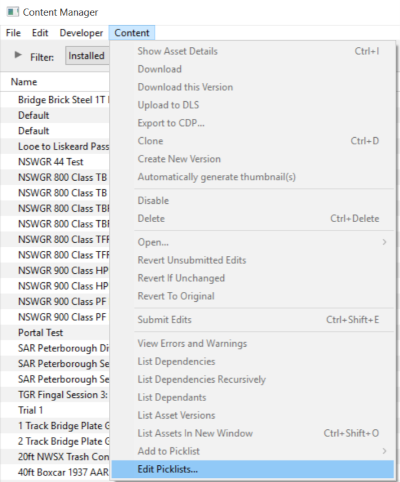
Step 1: Open CM and Your Picklists
|
|
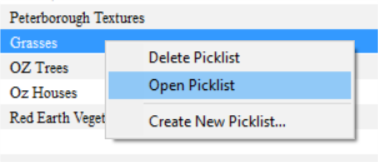
Step 2: Select the Picklist to be backed up
|
|
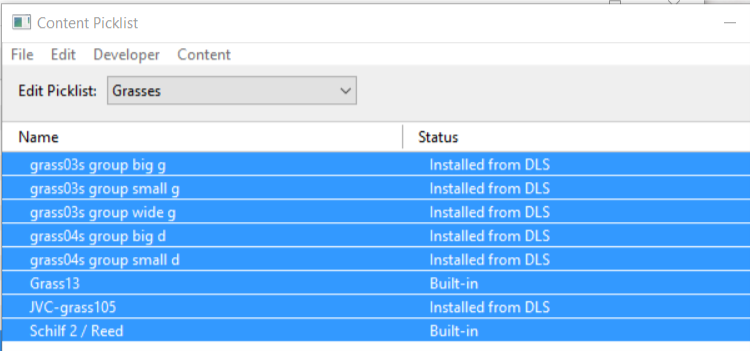
Step 3: Select Picklist Contents
|
|
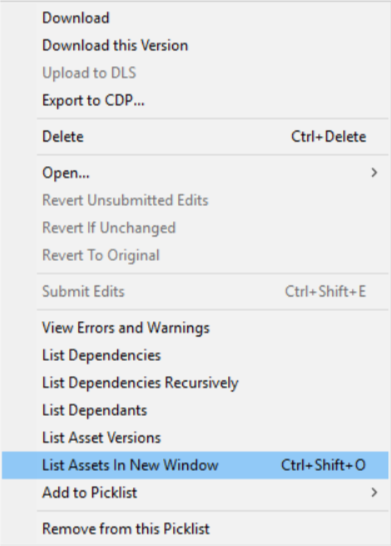
Step 4: Transfer List to a New Window
|
|
Step 5: Copy Assets in Picklist
|

Transfer the List to Notepad (or any text editor)
|
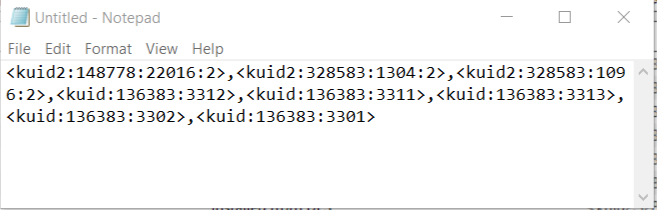
Step 1: Open Notepad or any other suitable text editor program
|
|
Step 2: Save the Picklist as a text (.txt) file
|
How to Restore a Picklist
Restoring a Picklist basically involves reversing the above steps.
|
Step 1: Open Notepad or any other suitable text editor program
|
|
Step 2: Open CM in the Destination Trainz and Create a New Filter
|

|
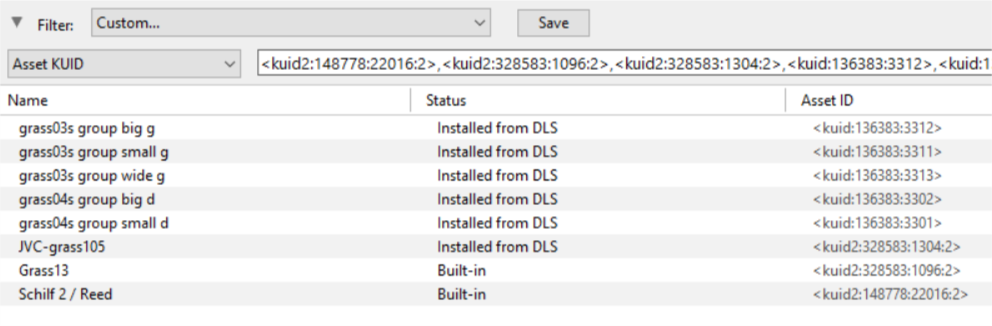
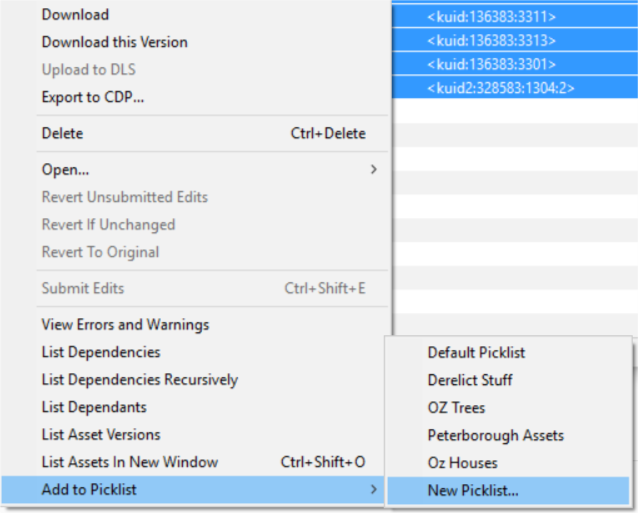
Step 3: Create a New Picklist The pasted asset list will appear in the CM display window, as shown below.
|
|
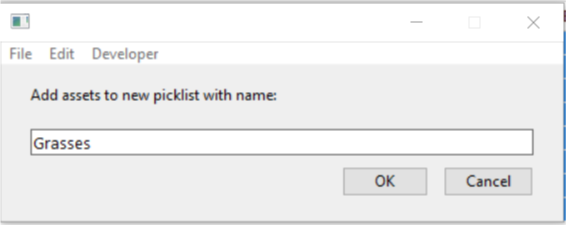
Step 4: Enter a Name for the Picklist
|
Trainz Wiki
 |
More Tutorials and Guides to Using Trainz |
