How to Create a Picklist: Difference between revisions
From TrainzOnline
Jump to navigationJump to search
| Line 159: | Line 159: | ||
<table> <!-- BEGIN Step 2 table --> | <table> <!-- BEGIN Step 2 table --> | ||
<tr valign="top"> | <tr valign="top"> | ||
<td>[[file:Alternatives.png|link=]] '''Choose from | <td>[[file:Alternatives.png|link=]] '''Choose from two alternative methods'''<br> | ||
<table> <!-- BEGIN Step 2 Alternatives Table --> | <table> <!-- BEGIN Step 2 Alternatives Table --> | ||
<tr valign="top"> | <tr valign="top"> | ||
Revision as of 21:19, 10 February 2020
The information in this Wiki Page applies to TANE, TRS19 and Trainz Plus.
 |
|
| In Summary: | |
 |
A Picklist is a user created list of commonly used assets (scenery, track objects, splines, textures, rolling stock - anything that you can add to a layout) |
|
You can create multiple picklists of related items (e.g. Bushes, Buildings, Trees, 4 wheel wagons, etc) that will be grouped together for easier selection |
Trainz provides you with two different methods of creating Picklists, using either Content Manager (or Manage Content from the Trainz Launcher) or in Surveyor.
Using Content Manager (CM)
 Steps |
 Select the Assets:
|
|||||
|
|
||||||
 Add the Assets to the Picklist:
|
||||||
|
|
||||||
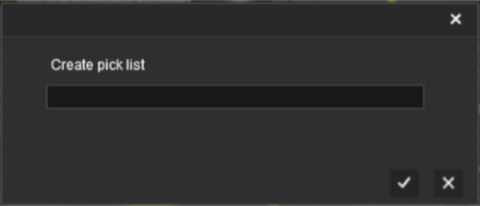
 Enter Picklist Name (for New Picklist Option Only):
|
||||||
|
|
||||||
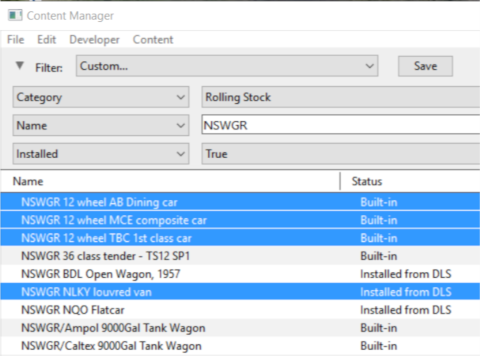

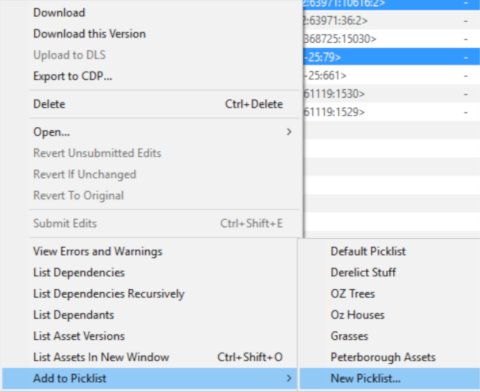
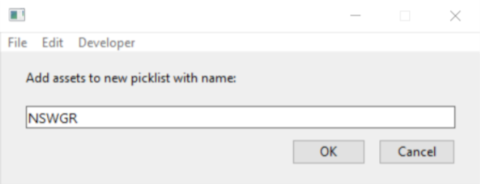
 |
Using Surveyor
Steps |
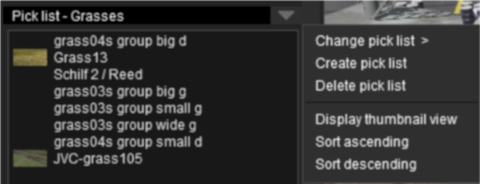
Open the Picklist Window:
|
|||||||||||||||
|
|
||||||||||||||||
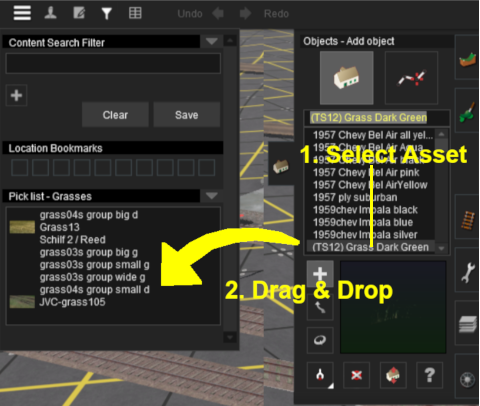
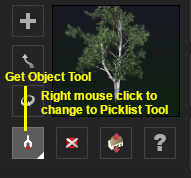
Add the Assets to the Picklist:
|
||||||||||||||||
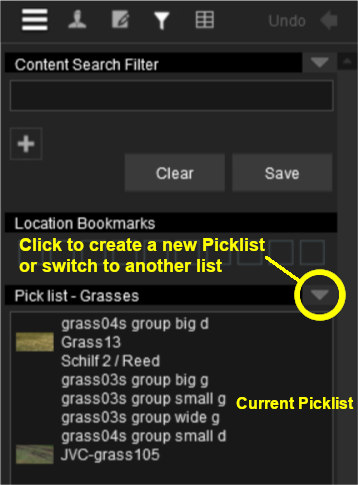




|
Trainz Wiki
 |
More Tutorials and Guides to Using Trainz |
This page was created by Trainz user pware in January 2019 and was last updated as shown below.
