SAR Scenarios Tutorial: Difference between revisions
mNo edit summary |
mNo edit summary |
||
| Line 183: | Line 183: | ||
Select the path <span style="font-weight: 700; font-size: 15px; color: white; background-color: black;"> Goods Loop to Broken Hill </span>.<br> | Select the path <span style="font-weight: 700; font-size: 15px; color: white; background-color: black;"> Goods Loop to Broken Hill </span>.<br> | ||
Every | Every '''IT Path''' is named according to a starting point and a destination. In most cases one of those will be a track or location in the local yard (e.g. '''Goods Loop''' or '''Station''') and the other will be one of the locations '''Port Pirie''', '''Broken Hill''', '''Gladstone''', '''Terowie''', '''Quorn''', '''Wilmington''' and '''Peterborough'''. Those locations may not be the final destination or initial starting point of the train but they indicate the direction of travel.<br> | ||
<table cellpadding="4" bgcolor=#c1e7e7> <!-- BEGIN Dot Point --> | <table cellpadding="4" bgcolor=#c1e7e7> <!-- BEGIN Dot Point --> | ||
Revision as of 21:20, 29 March 2021
 SAR Peterborough Narrow Gauge Scenarios Tutorial |
| A part of the SAR Peterborough Base Session |
| A tutorial guide to using the Scenarios for the DLS SAR Peterborough Base Session and SAR Peterborough Narrow Gauge Division (TRS19 SP3) route. |  |
 |
| Interlocking Towers Interlocking Towers (ITs) are included in the SAR Peterborough Base Session (they are not part of the route or layout) to provide easier navigation in some of the more complex yards in the layout. They provide paths into and out of those yards and in some cases they provide direct paths through the yards.
Gladstone and Peterborough have each been split into two ITs because of the large number of paths at each location. Three of these ITs are used in this tutorial - Gladstone Down, Caltowie and Jamestown.
|


|
The Tutorial Scenario The scenario used in this tutorial is The task in this tutorial scenario is to drive the coal and fuel oil train out of Gladstone yard and onto the main Port Pirie to Broken Hill main line. Continue through Caltowie yard and into Jamestown yard. |
||||||||||||||||||||||||
|
|
|||||||||||||||||||||||



| ||||||||||||||
|
||||||||||||||
Step |
Gladstone Interlocking Tower
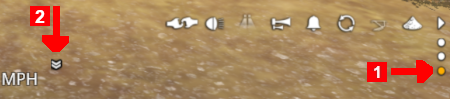
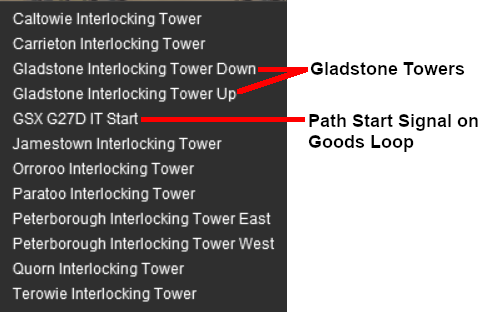
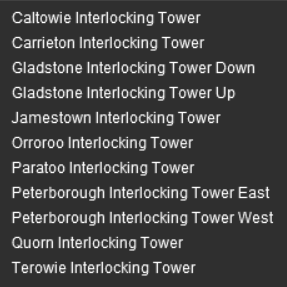
From the open Driver Command Menu, select the IT SetPath (TANE SP4 and later) option. This will open a list of all the ITs that have been placed in the Session. Because an IT Starting Signal, in this case invisible signal GSX G27D IT Start , is directly in front of your loco, the signal will be included in the list of available ITs as shown below left. If no IT Starting Signal is directly ahead of your loco then only the available ITs will be listed, as shown below right.
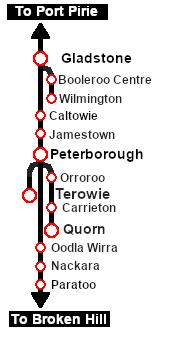
Select the path Goods Loop to Broken Hill . Every IT Path is named according to a starting point and a destination. In most cases one of those will be a track or location in the local yard (e.g. Goods Loop or Station) and the other will be one of the locations Port Pirie, Broken Hill, Gladstone, Terowie, Quorn, Wilmington and Peterborough. Those locations may not be the final destination or initial starting point of the train but they indicate the direction of travel.
Cancelling a Set IT Path Paths that have been set can be cancelled so that their signals and junction switches will be returned to their previous states. Set paths are automatically returned to their initial states after the consist has cleared the Exit Signal, but if you change your mind and decide to take a different path or not use the IT then a set path can be cancelled. From the Driver Command Menu select the IT CancelEnhancedPath command.
You will have the option of cancelling ALL PATHS or selecting a particular IT and path to cancel. |
|||||||||||||






| ||||||||||||||||||
Step |
Gladstone to Caltowie
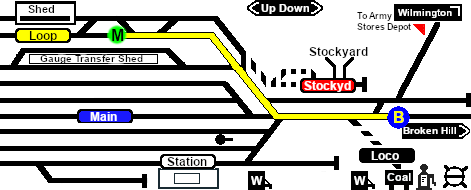
You can manually drive the train through to Caltowie without using the AI Driver Commands or setting IT Paths. This requires that all the switches along the path are correctly set. You can do this using the information on the Gladstone Error creating thumbnail: /bin/bash: line 1: /usr/bin/convert: No such file or directory Error code: 127 page (link via
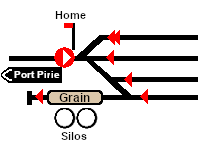
You can drive by adding AI Driver Commands directly into the Driver Command Bar on the bottom right of the screen. A large number of track marks and some industies have been added to provide destinations for these commands. The approach to every location in the route has Error creating thumbnail: /bin/bash: line 1: /usr/bin/convert: No such file or directory Error code: 127 Track Marks added to allow you to let the AI do most of the driving work. Apart from the standard commands (Drive To, Load, Unload, Couple, Wait For, etc), additional commands have been added to the session. Specifically:-
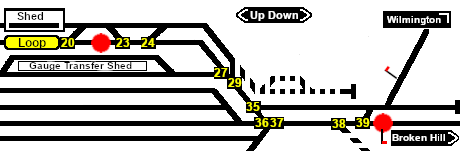
The Track Marks are shown on the Caltowie Error creating thumbnail: /bin/bash: line 1: /usr/bin/convert: No such file or directory Error code: 127 page (link via
|
|||||||||||||||||



| ||||||||||||||||
|
||||||||||||||||
Step |
Caltowie Interlocking Tower Caltowie does not have a coal stage or a fuel oil store in need of a refill so the consist will not be stopping here. A through path is the best option.
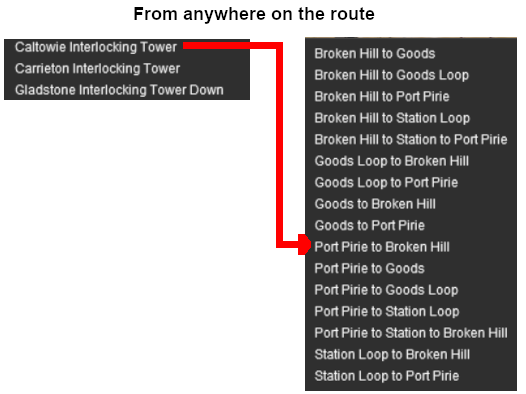
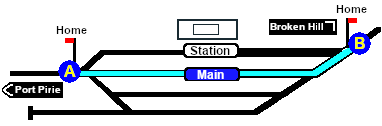
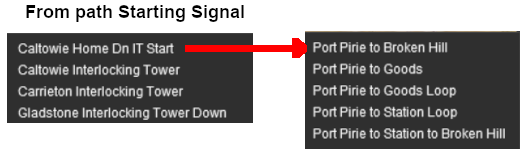
Open the Driver Command Menu and select the IT SetPath (TANE SP4 and later) option. Then select the Caltowie Interlocking Tower . This will open a list of ALL the IT paths controlled by the Caltowie IT, including any paths that will not be directly accessable to your consist.
You could also select any of the Port Pirie to ... paths. The only other through path is Port Pirie to Station to Broken Hill which will take you through the yard via the Station. The other Port Pirie to ... paths will take you into the yard but will not provide a set path out. You will need to select and set the appropriate ... to Broken Hill path to exit the yard.
Once the path has been set, use the Driver Speed Dial, the keyboard controls (W, S, X), advanced on screen controls, or the AI to drive the train through Caltowie Yard to Jamestown. |
|||||||||||||||


| ||||||||||||||||||||||||||
Step |
Caltowie to Jamestown Caltowie does not have a coal stage or a fuel oil store in need of a refill so the consist will not be stopping here. A through path is the best option.
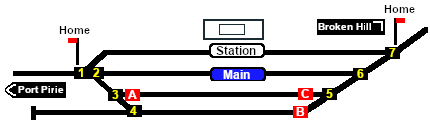
To manually drive the train through Caltowie to Jamestown without first setting IT Paths you will have to set all the switches yourself using the information on the Caltowie Error creating thumbnail: /bin/bash: line 1: /usr/bin/convert: No such file or directory Error code: 127 page (link via
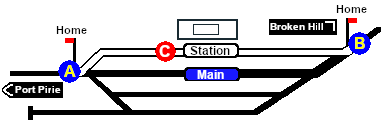
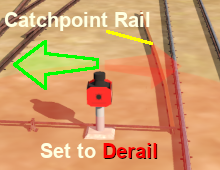
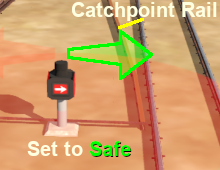
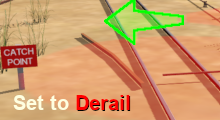
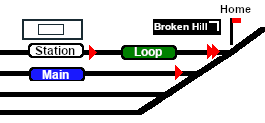
Notice that the Switch Track Diagram above shows three switches in red with letters as IDs - A B C .
The information above shows that the default position of the Catch Points, the first direction setting shown as an (L) or an (R), is set to Catchpoint which is the Derail position.
After reaching Caltowie you can use the Track Marks placed in the yard to navigate your way through. The track marks are shown on the Caltowie Error creating thumbnail: /bin/bash: line 1: /usr/bin/convert: No such file or directory Error code: 127 page (link via All stations on the route, including the passenger enabled stations, have track marks on both their Up and Down sides. This allows you to use the Drive To Trackmark command to reach any passenger station. The track marks are named using the name of the station (e.g. Caltowie), the word Station and the direction of travel, Up or Dn. So Caltowie has the station track marks Caltowie Station Dn and Caltowie Station Up (not shown above).
|
|||||||||||||||||||||||||

| |||||||
|
|||||||
Step |
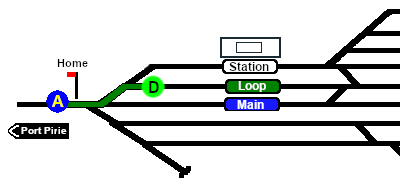
Jamestown Interlocking Tower Jamestown is the final destination of this tutorial but the Gladstone-Peterborough Depot Fuel Scenario continues on to Peterborough. In this tutorial scenario, we will be using the path into the Loop road. The Jamestown Error creating thumbnail: /bin/bash: line 1: /usr/bin/convert: No such file or directory Error code: 127 page (link via The Jamestown Error creating thumbnail: /bin/bash: line 1: /usr/bin/convert: No such file or directory Error code: 127 page identifies the path as
|
||||||

| |||||||||
Step |
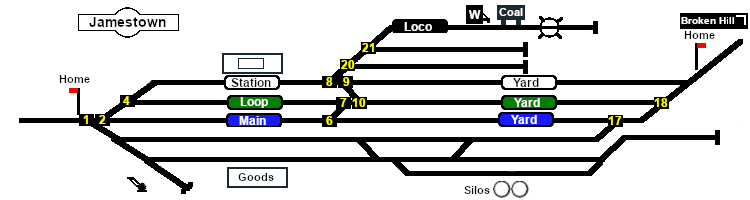
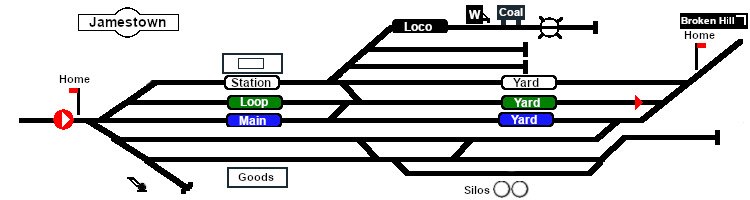
Arriving at Jamestown Jamestown is the final destination of this tutorial but the Gladstone-Peterborough Depot Fuel Scenario continues on to Peterborough. We will be using the Loop road as the destination in Jamestown. As at Caltowie, to drive into Jamestown without first setting an IT Path you will have to set all the switches manually. The Jamestown Error creating thumbnail: /bin/bash: line 1: /usr/bin/convert: No such file or directory Error code: 127 page (link via
The Jamestown Error creating thumbnail: /bin/bash: line 1: /usr/bin/convert: No such file or directory Error code: 127 page (link via
This ends the tutorial but you can continue the Gladstone-Peterborough Depot Fuel Scenario. |
||||||||


| Links: All links will open in this window | ||||||
 Session Scenarios List |
 Location List |
 Rolling Stock |
 Active Industries |
|
||
This page was created by Trainz user pware in March 2021 and was last updated as shown below.


