SAR Scenario Gladstone Shunter V2: Difference between revisions
From TrainzOnline
Jump to navigationJump to search
mNo edit summary |
mNo edit summary |
||
| Line 120: | Line 120: | ||
# If you decide to set the session clock to a different starting time then follow the instructions shown in the '''Orders''' section | # If you decide to set the session clock to a different starting time then follow the instructions shown in the '''Orders''' section | ||
# Next locate your loco. '''Either''':- | # Next locate your loco. '''Either''':- | ||
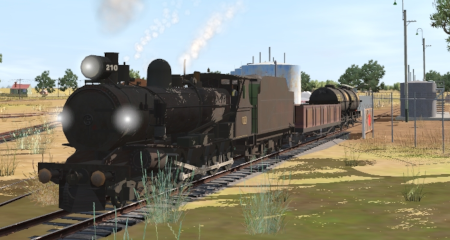
#*Open the '''Finder Tool''' (press <span style="font-weight: 700; font-size: 15px; color: white; background-color: black;"> Ctrl </span> <span style="font-weight: 700; font-size: 15px; color: white; background-color: black;"> F </span>) and type, in the '''Name''' field, the name of your selected loco. For example '''SAR T | #*Open the '''Finder Tool''' (press <span style="font-weight: 700; font-size: 15px; color: white; background-color: black;"> Ctrl </span> <span style="font-weight: 700; font-size: 15px; color: white; background-color: black;"> F </span>) and type, in the '''Name''' field, the name of your selected loco. For example '''SAR T 210''' (or just '''T 210''' should be enough). Click the '''tick''' icon, '''OR''' | ||
#*Open the '''Driver List''' (bottom left of the screen) and then scroll through the list to find '''either''':- | #*Open the '''Driver List''' (bottom left of the screen) and then scroll through the list to find '''either''':- | ||
#:*the '''loco name''' ('''SAR T | #:*the '''loco name''' ('''SAR T 210''') '''OR''' | ||
#:*the '''driver''' icon (named '''Driver | #:*the '''driver''' icon (named '''Driver 210''') - this is a non-animated icon | ||
#::then click the drivers '''Eye''' icon [[image:Driver_Eye.png|link=]] to take control of the loco | #::then click the drivers '''Eye''' icon [[image:Driver_Eye.png|link=]] to take control of the loco | ||
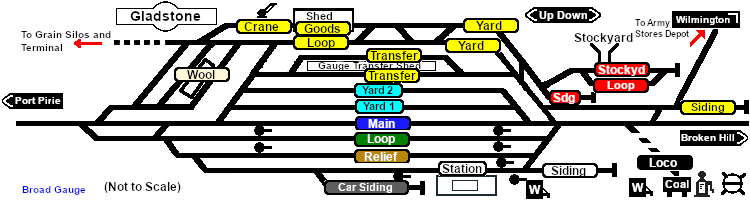
# Take a few moments to get your bearings. Click [[image:Line_Index_Gladstone.png|link=SAR_Gladstone_V2|Gladstone Data]] (this link will open in this window) to show the location details and track plans for '''Gladstone'''. In each location details page:- | # Take a few moments to get your bearings. Click [[image:Line_Index_Gladstone.png|link=SAR_Gladstone_V2|Gladstone Data]] (this link will open in this window) to show the location details and track plans for '''Gladstone'''. In each location details page:- | ||
Latest revision as of 07:10, 13 May 2026
| Error creating thumbnail: /bin/bash: line 1: /usr/bin/convert: No such file or directory Error code: 127 12 |
13 Gladstone Shunter A scenario in the SAR Peterborough Base Session v2.0 |
Error creating thumbnail: /bin/bash: line 1: /usr/bin/convert: No such file or directory Error code: 127 14 |
| Shunting operations in Gladstone yard and sidings. |  |
When, Where and With What
 |
|
|||||||||||||||

Similar/Related Scenarios
| 12 | Peterborough Shunter | 14 | Terowie Shunter | 15 | Quorn Shunter |
| 19 | Servicing the Broad Gauge Express | ||||
|
|
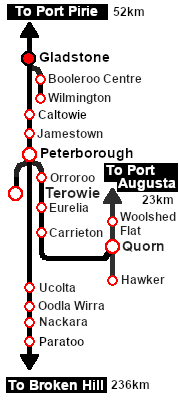
Each location in the layout has a detailed set of track diagrams that provide a variety of useful information The Getting Started guide below gives a summary of what is available.  graphic, or go to the bottom of the page for all the session links (all links will open in this window). |

Getting Started:
|


Tutorial:
|

|
|
|||||||||||




Driving Notes:
|


This page was created by Trainz user pware in February 2021 and was last updated as shown below.


