How to Configure Trainz Settings: Difference between revisions
mNo edit summary |
|||
| Line 1,629: | Line 1,629: | ||
<tr valign="top"> | <tr valign="top"> | ||
<td width=629><span id="skipTexture"></span> | <td width=629><span id="skipTexture"></span> | ||
=='''Texture Detail'''== | =='''Texture Detail'''== | ||
</td> | </td> | ||
| Line 2,598: | Line 2,597: | ||
<tr valign="top"> | <tr valign="top"> | ||
<td width=629><span id="stepTabDev"></span> | <td width=629><span id="stepTabDev"></span> | ||
='''The Dev Settings'''= | ='''The Dev Settings'''= | ||
</td> | </td> | ||
Revision as of 23:07, 15 August 2026
|
 |
 |
|
||||||||||||||||||||||||||||||

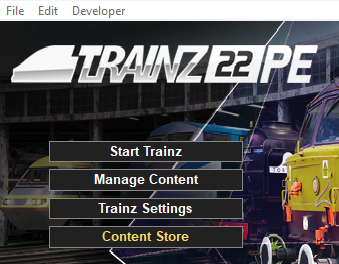
Load the Trainz Launcher |
 |
|
|
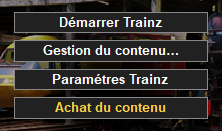
| Start your copy of Trainz which will load to show the Launcher Window (shown below). | ||||||||||
 |
|
|||||||||

Open the Trainz Settings Controls |
|
 |
|
|
 |
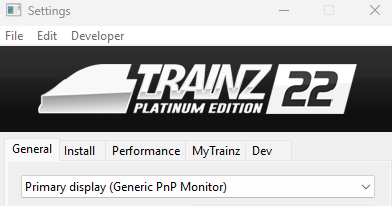
The Trainz Settings control how Trainz interacts with your Operating System and Graphics Display, where it stores your data, its overall performance, etc |
|
It also stores your login credentials which, amongst other things, gives you free access to the Download Station or DLS where assets such as routes, sessions, rolling stock and many different types of scenery can be downloaded and installed |
|
||||||||||||||||||||
The General Settings |
 |
|
|
|
|
|
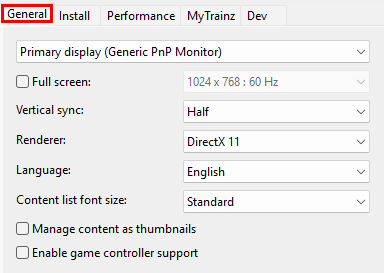
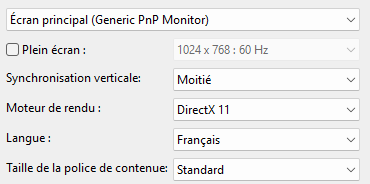
These settings are your display characteristics such as the screen resolution, synchronisation, preferred language and font size. |
|
 |
|
Display Settings |
|
 |
|
This sets the display monitor that Trainz will run on, its screen resolution and other features. |
 Primary Monitor |
|||||||||||
IF you have more than one display monitor/screen attached to your computer then you can select the one that you want Trainz to use.
|
|||||||||||

| Screen Size and Display Resolution |
|
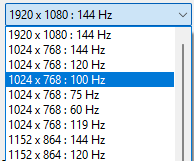
| This sets the screen size (as in full screen or windowed), its resolution (in pixels) and the refresh rate (in Hertz or cycles per second). | |
 |
If the Full Screen box is NOT checked then Trainz will run in windowed mode with the Trainz Railroad Simulator bar at the top of the program window and the Windows Tool Bar at the bottom of the screen. |
| This allows you to resize the window when required and to easily switch to other programs when needed. The resolution settings drop box cannot be opened if the Full Screen is not checked. | |
 |
If the Full Screen box is checked then Trainz will run in full screen mode WITHOUT the Trainz Railroad Simulator bar at the top of the program and the Windows Tool Bar at the bottom of the screen. |
|
|
 |
||||||||||
| Vertical Synchronization |
| This is a technology that matches (synchronizes) the construction of each video frame between your graphics card and your display monitor. Vertical Synchronization, when turned on, prevents the next frame from being sent to your display monitor before the previous frame has been fully drawn on the screen. If your video card is sending frames faster than your screen can handle then it can lead to an effect known as "tearing" where parts of two different frames are displayed at the same time.  |
|
|||||||||||||
| Renderer |
||||
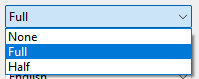
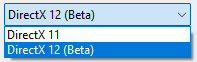
DirectX is the program interface (API) used by Windows to render 3D images on your display monitor. Currently there are two versions in use by most games and simulations.
|
||||
|
|
|
|||||||||
Language and Font Settings |
|
|
|
The selected language sets the preferred language for all internal menus, palette titles and commands, drop down lists |
|
The language used in all driver session message popups and HTML pages is set within those assets and not in this configuration |
|
The selected font size option only applies to asset lists |
| Language |
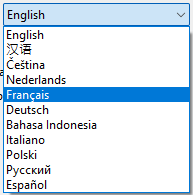
| Trainz allows you to choose a preferred display language for all menus, option boxes, command lists, etc that are part of the program. The default language is English. |
|
|||||||||||||||||||||||

| Font Size |
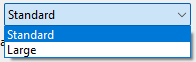
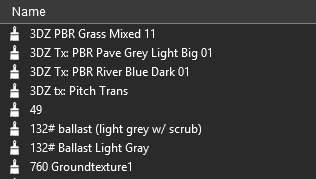
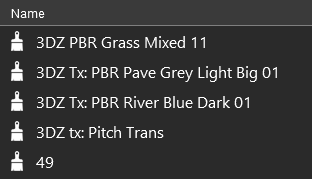
| This allows you to display lists of assets (content) in a larger font size. It applies to the asset lists shown in some Surveyor 2.0 Palettes and in Content Manager. |
|
||||||||||||||||||

Misc Settings |
|
|
| Key Points:- | |
|
You can display all assets in Content Manager using their thumbnails |
|
You can add support or some non-keyboard game controllers |
| Content Manager Thumbnails |
 |
| This allows you to display all the assets in Content Manager using their thumbnails. The thumbnails will be constructed from the actual mesh and texture files (if present) in the assets and not from the Thumbnail.jpg images supplied by the creator. |
|
||||||||
| Game Controller Support |
 |
| This allows you to control Trainz using an external game controller instead of the keyboard and mouse. The RailDriver Controller is one example. You must have the necessary software drivers installed. |
|
||||
The Install Settings |
|
|
|
|
|
|
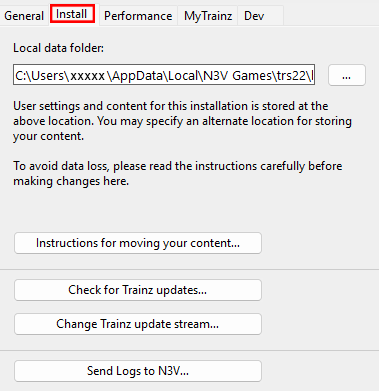
These settings identify the location of your Local Data Folder where all your assets are kept and the type of program updates you want to receive. |
|
 |
|
|||||||||||||||

|

| Instructions for moving or copying the Local Data Folder can be found on the Trainz Wiki. | |||
| Error creating thumbnail: /bin/bash: line 1: /usr/bin/convert: No such file or directory Error code: 127 | A Left Click on the button labelled Instructions for moving your content will load the page at  Moving Content. |
||
| Error creating thumbnail: /bin/bash: line 1: /usr/bin/convert: No such file or directory Error code: 127 | Other related pages on the Wiki can be found at:-
|
||
Trainz Updates |
|
|
 |
This will allow you to manually check if any new updates (Service Packs or Hot Fixes) are available for your version and buld number of Trainz. If you are a beta tester then it will also check for new beta updates. | |||
|
|
||||
|
||||||||||||||||||||


|
||||||||||||||||||||||||
Trainz Update Stream |
|
|
 |
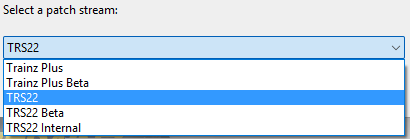
This allows you to switch between different update streams that the latest release Trainz versions have available. |
| What is a Trainz Update Stream? | |||
| Any version of Trainz that has not yet reached its End-of-Support date (see the Wiki link at Trainz Life Cycle Policy for the dates) will continue to receive updates. This includes the current (latest) release versions. These updates will be normal SP (Service Pack) and occasionally HF (Hot Fix) updates. They form the Normal Update Stream and are available to everyone who has a currently supported version of Trainz. |
|||
| In addition, the next release of Trainz, which could be a completely new version or more likely the next SP update, will be undergoing Beta Testing. These Beta test versions will have their own separate update stream, the Beta Update Stream. Usually there will be many beta updates released before the next Normal Update Stream release. | |||
|
|
|||
| Steps: To Change Your Trainz Update Stream:- | |||||||||
 |
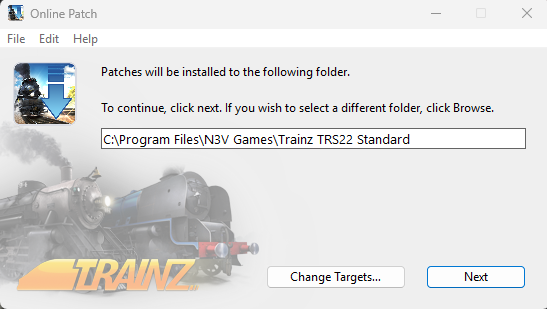
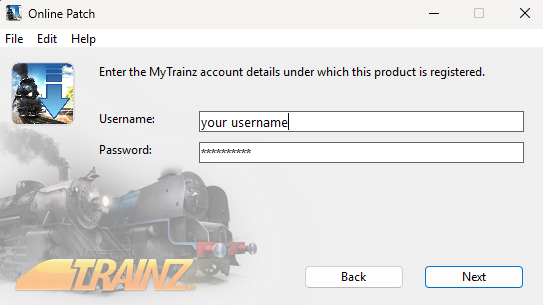
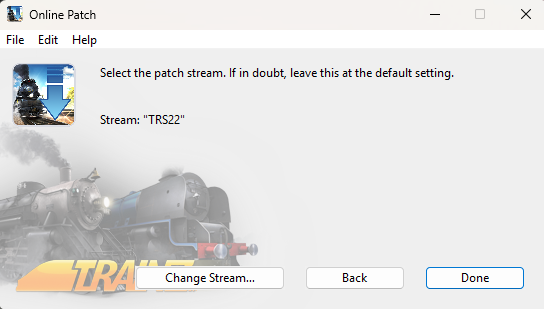
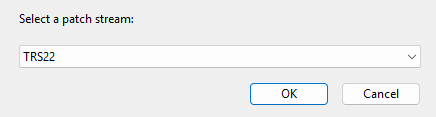
Left Click on the button. This will open a the first of a series of dialogue windows. |
||||||||
 |
The first dialogue window will allow you to set where the patch will be installed. The current location, where your copy of Trainz is installed, will be shown in the window.
|
||||||||
 |
in the second dialogue window enter your Trainz Login details
|
||||||||
 |
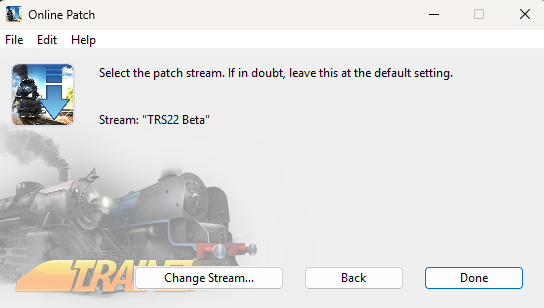
The third dialogue window will show your current Update Stream
|
||||||||
 |
The fourth dialogue window will allow you to change your current Update Stream
|
||||||||
 |
The final dialogue window will display the new Update Stream. This is a repeat of the third dialogue window.
|
||||||||
|
Send Logs to N3V |
|
|
 |
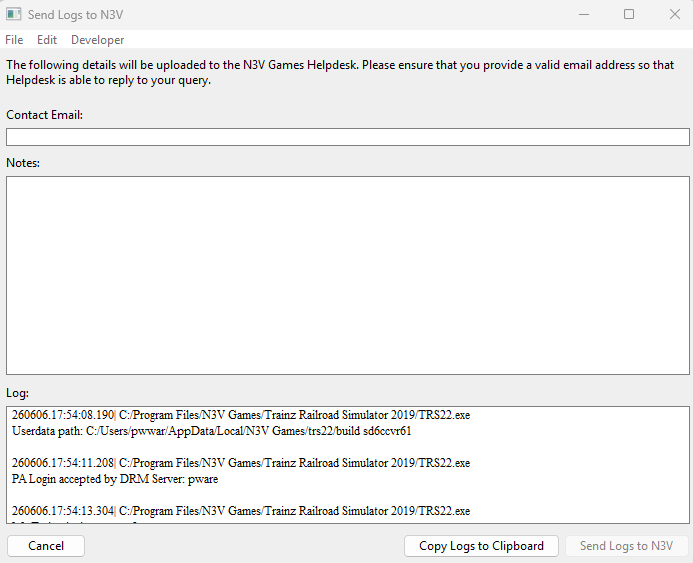
This allows you to send diagnostic logs directly to the N3V Games Support Desk for analysis or to copy the logs to your system clipboard. |
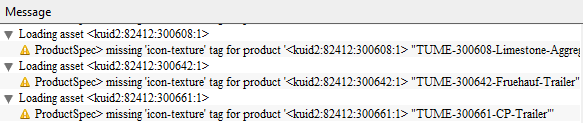
| Trainz keeps a text copy, a "log", of a wide range of actions by the program. These include the results of running a DBR, or an EDBR, error and warning messages generated when assets are installed, assertions created by a beta version, build startups and logins, configuration changes, etc. These logs are NOT sent automatically. You have to manually choose this option each time you want to send the logs. Alternatively, they can be sent to your system clipboard. |
|
||||||||||||||||||||||
|
The Performance Settings |
|
|
|
|
|
|
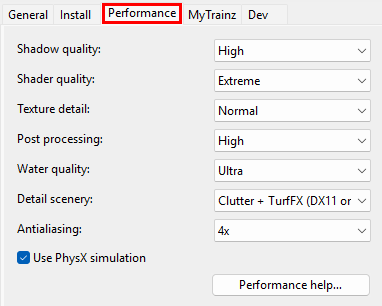
These settings are where you can "fine tune" the performance of the program to better match the hardware of your computer system and the demands of the routes you are running. |
|
You may need to experiment with these settings to get the best match with your system and the routes you run. |
|
 |
|

Shadow Quality |
|
|
 |
This allows you to set the visual resolution of shadows, increase the distance at which they will be drawn and the number of object types that will have shadows. Note: Some objects, such as power lines, will only display shadows on the higher settings. |
|
||||||||||||||
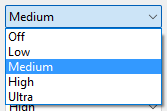
Shader Quality |
|
|
 |
This allows you to select Shader Quality that will be used. |
|
|
||||||||||||||
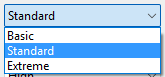
Texture Detail |
|
|
 |
This allows you to set the size of textures that will be loaded. |
|
||||||||||||||
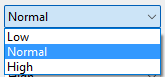
Post Processing |
|
|
 |
This allows you to adjust the level of Post Processing. |
| Post Processing, which happens after an image frame has been constructed, applies filters or special effects to the entire image frame before it is finally displayed on the screen. Examples would include adding motion blur, atmospheric effects, dynamic lighting. |
|
||||||||||||||
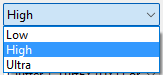
Water Quality |
|
|
 |
This allows you to set the level of water effects such as reflections from the surface. |
|
||||||||||||||
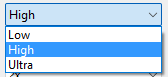
Detail Scenery |
|
|
 |
This allows you to show/hide TurfFX and Clutter effect layers. |
|
|
||||||||||||||
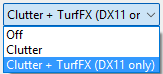
Antialiasing |
|
|
 |
This allows you to reduce the appearance of "jagged edges" on objects by smoothing out their pixelation. |
|
|
||||||||||||||
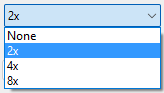
PhysX Simulation |
|
 |
This allows you to switch particle effect collisions on/off. In future updates other physics related features will be added. |
| An example of particle effects collisions would be smoke being blocked from passing through the roof and walls of a tunnel or an engine shed. The object (tunnel or shed) must be created with PhysX meshes that will interact with smoke particles. For most scenes this will have a small impact on performance but the performance will decrease as the number of particles and objects with PhysX meshes increases. | |
|
|||||||
The MyTrainz Settings |
|
|
|
|
|
|
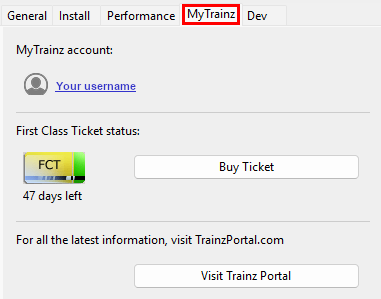
These settings identify your user login details. In some older versions this Tab is labelled Internet. |
|
You can also check your current FCT status and, if required, purchase more FCT access. |
|
 |
|
||||||||||||
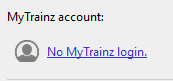
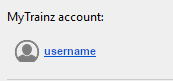
Enter Login Details |
|
|
|
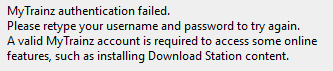
Your Login details are needed to access the Download Station and other online data. |
|
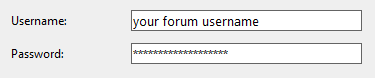
Your Trainz Login is the same as the Trainz Forum Login that you used to purchase or subscribe to your current copy of Trainz. If you do not have a Trainz Forum Login then you can create a new account. |
|
||||||||||||||||||||||||||
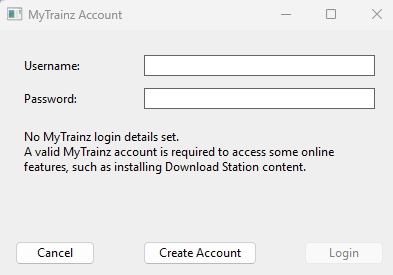



Create an Account |
|
|
|
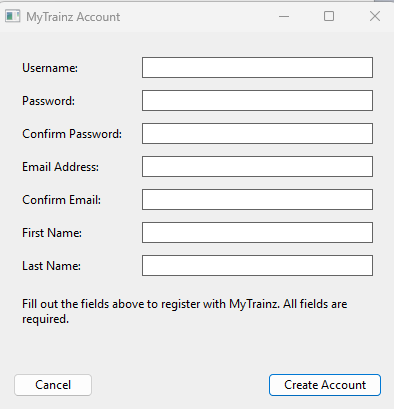
You will need a Trainz Account to be able to access the online features of Trainz including the Download Station where there is a vast library of free assets (routes and sessions, locomotives and rolling stock, signals and tracks, scenery of all types, ground textures, etc) available for you to download and install. |
|
A Trainz Account will also give you a Trainz Forum Login username and password to access the Trainz Forum. |
|
|
|||||||||||||||||||||||
First Class Ticket |
|
|
 |
|
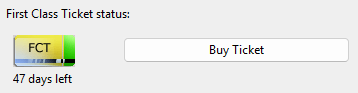
The FCT or First Class Ticket is an optional prepaid feature that gives you higher speed priority access to the Download Station or DLS. |
|
An FCT is automatically included in all Trainz Plus subscriptions for the duration of the subscription. |
 |
|
||||||||||
|
 |
The FCT Status indicates how many days are left on your current active FCT.
 button to purchase another FCT (you can activate it at any time after purchase). |
How to Purchase an FCT |
 |
|
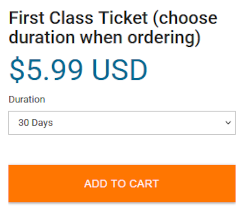
You can purchase an FCT by a click on the Buy Ticket button in the MyTrainz Tab or from the Trainz Discussion Forum web site. |
|
You can purchase an FCT for 7, 30, 90, 180 and 365 days. |
|
If you have a Trainz Plus subscription, then an FCT is automatically included in your subscription. |
|
||||||||||||||||||


How to Activate an FCT |
|
|
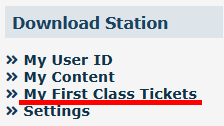
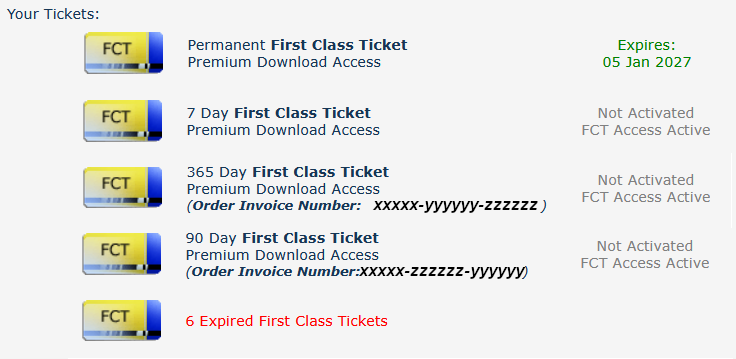
Once activated an FCT will run for the full calendar duration of the ticket. |
|
An FCT that is part of a subscription is automatically activated with the subscription. |
|
|
|||||||||||||||||||||


The Dev Settings |
|
|
|
|
|
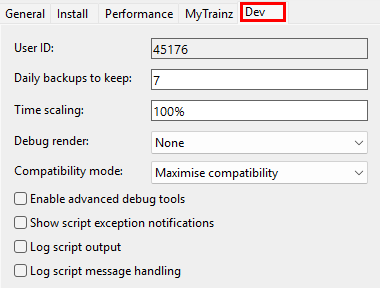
These settings are designed for asset developers ONLY to test the performance and other features of the assets they create. |
|
Unless you are an experienced asset developer you are strongly advised to NOT change these settings. |
|
They also control how often automatic backups will be made of any routes or sessions that you are currently developing in Surveyor. |
|
 |
|
User ID: |
|
|
| This is your Trainz user identity code for creating assets and each user has their own unique identity code number. All assets that you create, or clone, will contain this number at the start of their <kuid> code. For example:-
|
Daily Backups to Keep: |
|
|
 |
This sets the number of Automatic Backups of your currently loaded route and session that will be created each day. These backups are saved in the Local Data Folder (see  Local Data Folder) and are only kept for 7 days. |
|
||||||||||||||||||||||||||||||

Time Scaling: |
|
|
 |
This allows you to slow the rate at which time passes when running a session. All aspects of the session - the session clock, the compass and cursor movement speeds and the time experienced by moving consists - will be slowed. |
|
||||||||||||||||||||||||||||

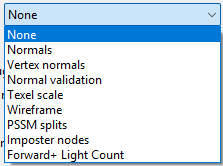
Debug Render: |
|
|
 |
This allows you to select different image rendering methods to help identify problems with the texture, surface effects or appearance of objects. |
|
||||||||||||||||||||
Compatibility Mode: |
|
|
|
 |
This allows you to modify the loading, operation (especially scripts) and error reporting of assets used in a route. |
|
||||||||||||
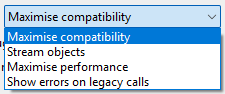
| Maximise compatibility | This is the default for TRS19, TRS22 and Trainz Plus. No legacy asset scripts are disabled and the entire route will be loaded into memory. Both will degrade overall performance. This mode should be used if a route or session contains legacy assets that do not perform well in other settings. |
| Stream objects | Only those parts of a route that are active and close to the player's point of view are loaded into memory, a technique called "route streaming". This reduces overall loading time, resource usage and improves performance, especially on larger routes. This is the default setting for routes that are packaged with TRS19, TRS22 and Trainz Plus because they have been tested and found to work in this mode without any issues. There are some downsides:- switching the camera to a distant part of a large route can cause delays while assets are loaded. Scripts that require data from assets that have not been loaded may experience issues. |
| Maximize performance | This can significantly improve performance by using route streaming and disabling the scripts used in many legacy assets. It is expected that this will become the default setting in future Trainz versions so script creators should use this mode when developing and testing their assets. |
| Show errors on legacy calls | This is the same as the Maximize performance setting but it will report attempts by scripts to use legacy or obsolete script functions. Because of this extra "debugging" its performance is slightly below that of Maximize performance. This setting should only be used for testing and debugging asset scripts. |
Debug Tools and Logs: |
|
|
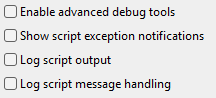 |
A set of Check Boxes that will enable/disable various debugging functions and produce reports (logs).
|
|||||||||||||||
 |
Enable advanced debug tools | When checked this activates the TrainzUtil program which runs in parallel with Trainz. See TrainzUtil for more information. |
|
|
|
|
Trainz Wiki
 |
More Tutorials and Guides to Using Trainz |
This page was created by Trainz user pware in July 2026 and was last updated as shown below.


