How to Create a Picklist: Difference between revisions
Updated for the Filter Palette in S20 |
mNo edit summary |
||
| Line 659: | Line 659: | ||
<span style="font-weight: 700; font-size: 15px;">To Remove Assets from a Picklist</span> | <span style="font-weight: 700; font-size: 15px;">To Remove Assets from a Picklist</span> | ||
<br> | <br> | ||
<table bgcolor=#000000 cellpadding=2> | <table width=1000> | ||
<tr valign="top"> | |||
<td> | |||
<table width=600 bgcolor=#000000 cellpadding=2> | |||
<tr valign="top"> | <tr valign="top"> | ||
<td> | <td> | ||
<table bgcolor=#ffffff cellpadding=2> | <table bgcolor=#ffffff cellpadding=2> | ||
<tr valign="top"> | <tr valign="top"> | ||
<td colspan=2><span style="font-weight: 700; font-size: 15px;">Steps:</span> To remove assets from a Picklist:-</td> | <td colspan=2><span style="font-weight: 700; font-size: 15px;">Steps:</span> To remove assets from a Picklist (see '''Known Issue''' on the right):-</td> | ||
</tr> | </tr> | ||
<tr valign="top"> | <tr valign="top"> | ||
| Line 697: | Line 700: | ||
<td width=25>[[image:NotePad.PNG|link=]]</td> | <td width=25>[[image:NotePad.PNG|link=]]</td> | ||
<td>Removing the last item from a Picklist will delete the Picklist</td> | <td>Removing the last item from a Picklist will delete the Picklist</td> | ||
</tr> | |||
</table> | |||
</td> | |||
</tr> | |||
</table> | |||
</td> | |||
</tr> | |||
</table> | |||
</td> | |||
<td> | |||
<table width=400 cellpadding=2 bgcolor=#ff0000> | |||
<tr valign="top"> | |||
<td> | |||
<table cellpadding=2 bgcolor=#ffffff> | |||
<tr valign="top"> | |||
<td>[[image:Bug.png|link=]]</td> | |||
<td><span style="font-size: 15px; font-weight: 700;">Known Issue:'''</span><br> | |||
There is a bug that greys out the <span style="font-weight: 700; font-size: 15px; color: white; background-color: black;"> Remove from Picklist </span> option so it cannot be selected.</td> | |||
</tr> | |||
<tr valign="top"> | |||
<td colspan=2>'''Workarounds:''' Two alternative solutions are available:- | |||
# Use '''Content Manager''' to remove assets from a Picklist | |||
# Use the working <span style="font-weight: 700; font-size: 15px; color: white; background-color: black;"> Remove from Picklist </span> option in the '''Filter Palette''' - see [[image:WikiLink.PNG|link=]] '''[[How to Use S20 Palettes#The Filter Palette|How to Use S20 Palettes-The Filter Palette]]''' for the details</td> | |||
</tr> | </tr> | ||
</table> | </table> | ||
Revision as of 01:25, 27 July 2024
The information in this Wiki Page applies to TANE and TRS19. For information on creating, managing and using Picklists in Trainz Plus and TRS22 refer to the more recent document at  How to Manage Search Filters and Picklists |
|
|
||||||||
Using Surveyor Classic |
 |
 |
 |
| Steps: | |||||
 |
Open the Picklist Window:
|
||||

 |
Select a Picklist or Create a New Picklist:
|
||||||||||||
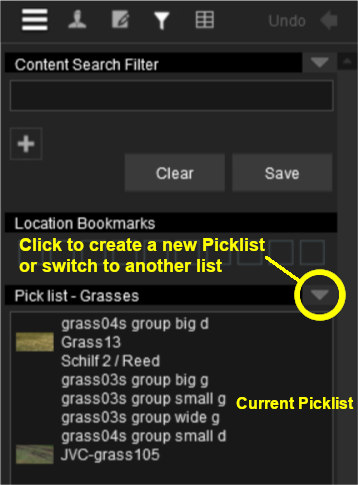

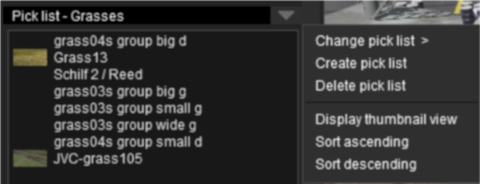


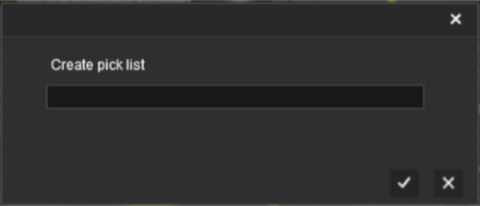
 |
Add Assets to the Picklist: Options: Choose one of two methods:- |
||||||||||||||||||||||||||||||||||||||||
|
|||||||||||||||||||||||||||||||||||||||||
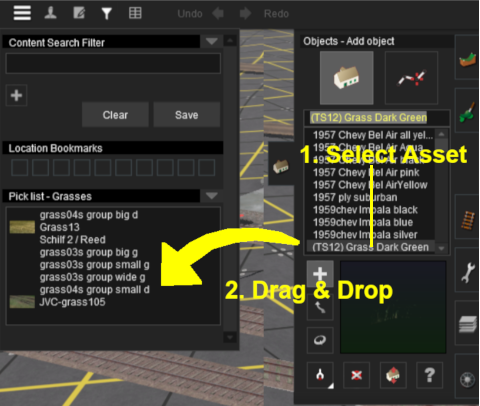


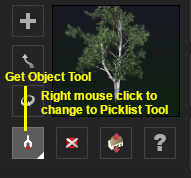

|
Using Surveyor 2.0 |
 |
|
|
 |
|
|
Locating the Picklists
 |
Picklists are created, managed and deleted using the Filter Palette and Assets Palette in Surveyor 2.0 |
The Filter Palette and Assets Palette give you access to all the installed Assets, the Search Filters created in Content Manager and the Picklists.
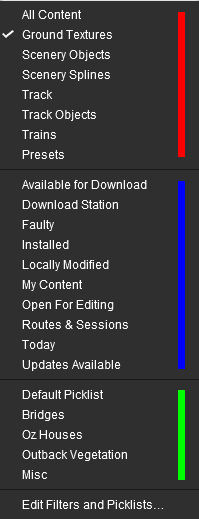
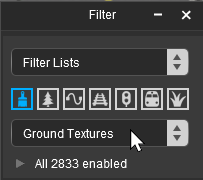 The Filter Palette |
|
|||||||||||||||||||||
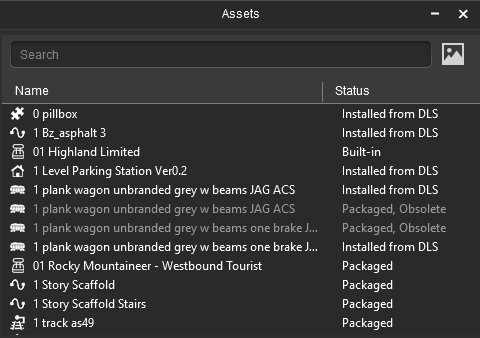
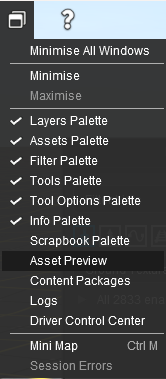


|
|
|||||||||||||||||||||||||||


Creating a New Picklist |
|
 |
|
New Picklists are created by selecting an asset in the Assets Palette or by selecting an existing object in the route |
| A new Picklist is created by first identifying an asset or object that will be added to the new (yet to be created) Picklist. You cannot create an empty Picklist. | |||||||||||||||||||||||||||||||||||
| Options: Choose one of two methods:- | |||||||||||||||||||||||||||||||||||
|
|
||||||||||||||||||||||||||||||||||
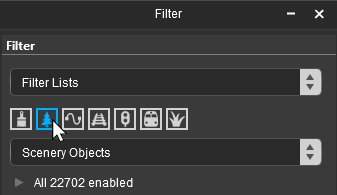
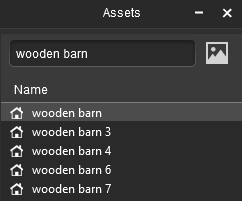
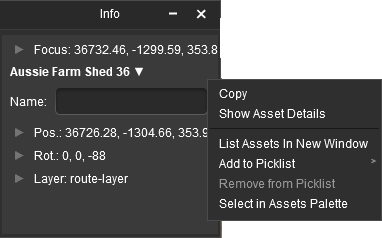
In both Options  and  a new popout menu will appear. |
||||
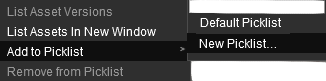 |
|
|||
|


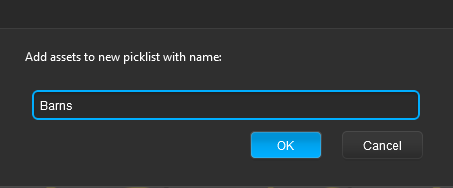
To Remove Assets from a Picklist
|
|
||||||||||||||||||||||


Using Content Manager (CM) |
|
|
|
|
| Steps: | ||||||||||||
|
Select the Assets:
|
|||||||||||
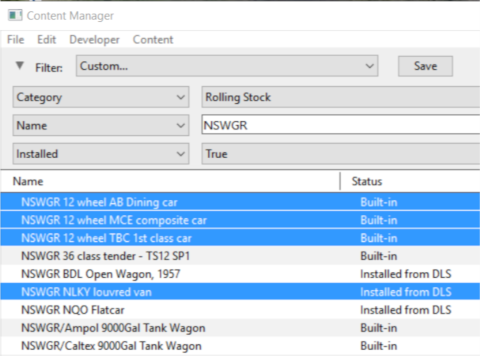
|
Add the Assets to the Picklist:
|
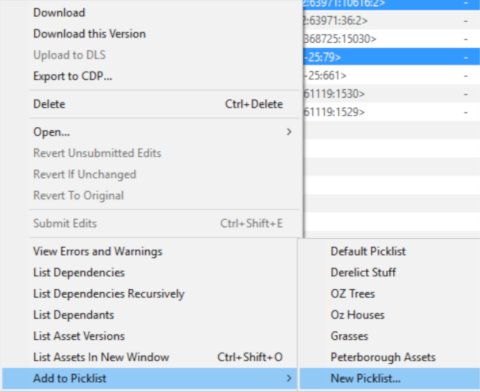
|
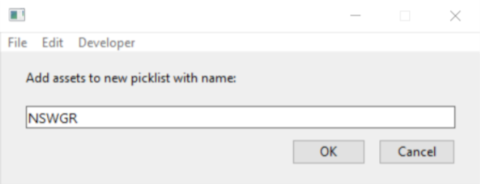
Enter Picklist Name (for New Picklist Option Only):
|
|
|
Trainz Wiki
|
|


This page was created by Trainz user pware in January 2019 and was last updated as shown below.

