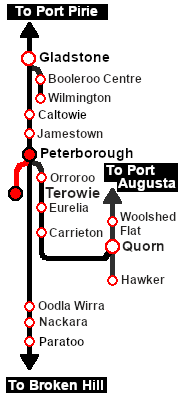
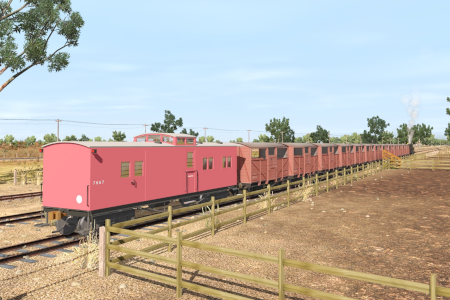
| Livestock transfer between the stockyards at Terowie and Peterborough. |
 |
 |
| Era: |
1920s to 1960s |
| Duration: |
Peterborough: 45 minutes
Return: 100 minutes |
| Loco: |
The  has locos available at the Terowie Loco Depot and at the Peterborough Loco Depot for an optional loco swap
|
| Consist: |
on the Terowie Stockyard Siding .
|
|
|
|

|
Each location in the layout has a detailed set of track diagrams that provide a variety of useful information
The Getting Started guide below gives a summary of what is available.
To display this information click any  graphic, or go to the bottom of the page for all the session links (all links will open in this window). |
Getting Started:
- If you have already closed the opening message window then the first step is to pause the session by pressing the P key.
- Next locate your loco. Either:-
- Open the Finder Tool (press Ctrl F ) and type, in the Name field, the name of your selected loco, for example SAR T 198 (or just T 198 which should be enough), then click the tick icon, OR
- Open the Driver List (bottom left of the screen) and then scroll through the list to find either:-
- the loco name (SAR T 198) OR
- the driver icon (named Driver 198) - this is a non-animated icon
- then click the drivers Eye icon
 to take control of the loco.
- Take a few moments to get your bearings. Click
 (this link will open in this window) to show the location details and track plans for Terowie. In each location details page:-
- Each location details page has direct links to the adjacent locations so you can explore along the route.
- When you are ready to start, reload the Peterborough Base Session page (click the Scenarios button on your current location page) and select this Scenario again or just use the Back button on your browser - whichever is quicker.
- Switch back to Driver Mode and close the opening message window (if it is still on the screen) or press the P key (if it is not) to start the session.
|
|
Tutorial:
 |
A tutorial on using these scenarios is provided in the link on the left. The link will open in this window |
|
Orders:
- Reverse the loco and tender out of the Loco Depot yard and onto the Stockyard Siding
- Couple to the livestock consist stored in either:-
- Stockyard Siding 1 (cattle), or
- Stockyard Siding 2 (sheep)
- Proceed empty to Peterborough Yards
- Shunt the wagons to either the Peterborough Stockyard 1 (Cattle) or Peterborough Stockyard 2 (Sheep)
- Load with livestock
- Shunt to Peterborough Yards. You may perform an optional loco swap.
- Return to Terowie and unload at the Terowie Stockyard Transfer platform
|
 |
|
|
|
This page was created by Trainz user pware in June 2022 and was last updated as shown below.