The information in this Wiki Page applies to Surveyor 2.0 (S20) as found in Trainz Plus.
This document is under development
|
|
| In Summary: |
 |
|
|
|
|
|
|
 |
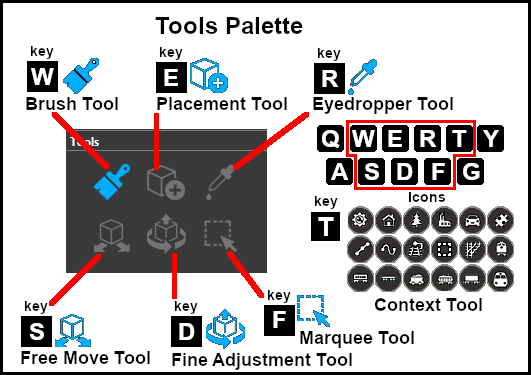
Keyboard Shortcut: W |
The Brush Tool is used for painting the landscape. It can:-
- adjust the height of the terrain
- add ground textures
- add Effect Layers
- add Scrapbook scenes
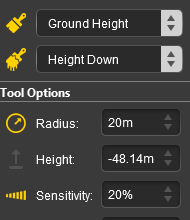
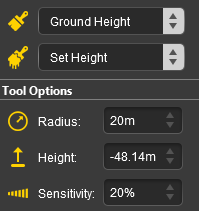
When selected, the Brush Tool will show two drop down menu lists.
|
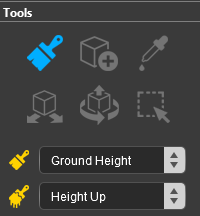 |
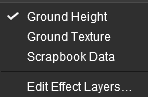
The first drop down menu will set the Brush Target, the type of brush. The Targets are:-
- Ground Height
- Ground Texture
- Scrapbook Data
- Edit Effect Layers
|
 |
Ground Height
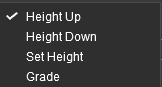
When this Target is selected, the second drop down box will display a selection of Ground Height tools. The choices are:-
- Height Up
- Height Down
- Set Height
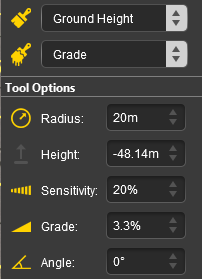
- Grade
|
 |
 |
Notes:
|
|
The Grade may cause some confusion. It is defined as height (vertical) over distance (horizontal) converted to a percentage figure. So a grade of 100% (the maximum allowed) would mean a slope formed by the height and distance being the same (e.g. a height of 50m rising over a distance of 50m). A vertical slope (a cliff) would have an infinite grade which is currently impossible in Surveyor. |
|
Unlike in Surveyor Classic, there appears to be no upper limit to the brush Radius . Brushes of hundreds of metres (even kilometres) in size are possible. However, if you are using the brush to set a specific height to an entire baseboard, or to many baseboards, then the Marquee Tool may be a better choice. |
|
Ground Terrain
Scrapbook Data
Edit Effect Layers...
 |
Keyboard Shortcut: E |
The Placement Tool is used to add assets to the landscape.
 |
Keyboard Shortcut: R |
The Eyedropper Tool is used to identify objects that are in the landscape. The objects can be textures, effect layers, scenery, rolling stock, track and track equipment, and splines.
 |
Keyboard Shortcut: S |
The Free Move Tool is used to move objects in the landscape.
 |
Keyboard Shortcut: D |
The Fine Adjustment Tool is used to make fine adjustments (XYZ axis, rotation, tilt) to objects in the landscape.
 |
Keyboard Shortcut: F |
The Marquee Tool is used to select areas of the landscape.
Trainz Wiki
 |
More Tutorials and Guides to Using Trainz
|
This page was created by Trainz user pware in January 2023 and was last updated as shown below.