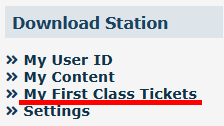
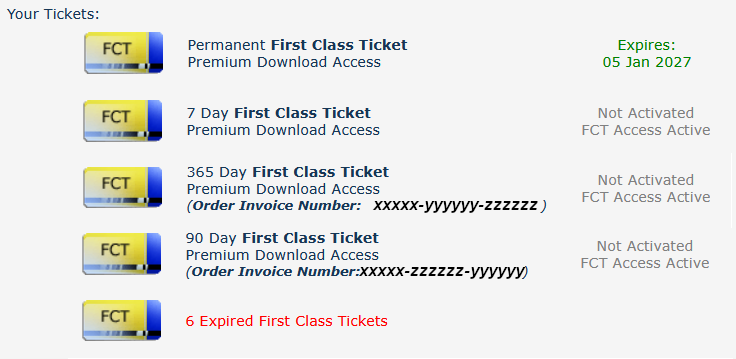
|
|
| Key Points:- |
 |
The FCT or First Class Ticket gives you higher speed priority access to the Download Station or DLS. |
|
An FCT is automatically included in all Trainz Plus subscriptions for the duration of the subscription. |
|
With the exception of subscriptions, a purchased FCT has to be activated before it can be used. |
|
What is a First Class Ticket (FCT)
|
 |
 |
|
|
|
|
| As soon as you access the DLS using Content Manager your FCT status is checked using your Trainz Login. If you have an active FCT then you will be given priority access at the maximum available download speed. |
 |
Many of the issues that some users have in accessing the DLS (with or without an FCT) come down to 3 external factors:-
 |
Your AV software interrupts the download to conduct a "real time scan" of the incoming data.
Solution: add TRS22.exe (or the named executable file for your version of Trainz) to the Real Time Scan Exclusion List of your AV software. |
|
Your VPN software blocking the download. This problem appears in only some VPNs, not all.
Solution: temporarily disable your VPN software for the download. |
|
Your ISP is blocking the download. One particular ISP in the USA has been named in several Trainz Forum Posts as the cause of this problem.
Solution: unfortunately, you will have to change your ISP OR, if you are using a laptop, download the DLS assets from a free wifi location. |
|
|
|
You can purchase an FCT from within the Trainz Program itself or from the Trainz Discussion Forum web site. |
|
You can purchase an FCT for 7, 30, 90, 180 and 365 days. |
|
If you have a Trainz Plus subscription, then an FCT is automatically included in your subscription. |
There are two ways to purchase an FCT
 From the Forum Web Site |
 From Trainz |
| Steps: To Purchase an FCT from Trainz:- |
 |
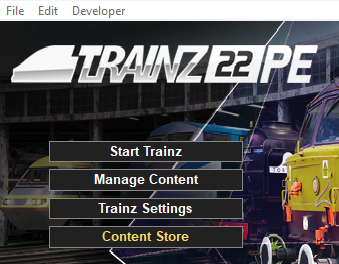
Start your copy of Trainz which will load to show the Launcher Window (shown below).
 |
 |
Left Click on the Trainz Settings option to load the Trainz Settings dialogue window. |
 |
In the Trainz Settings dialogue window Left Click on the MyTrainz Tab (in older versions of Trainz this was labelled the Internet tab).
 |
 |
In the First Class Ticket Status section of the MyTrainz Tab Left Click on the  button.
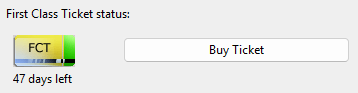 |
This will take you direct to the Buy First Class Ticket page on the Forum Web Site. |
|
| |
On the Trainz Web Site |
 |
 |
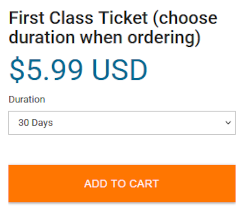
Left Click on the Duration drop down box to select the number of days your FCT will be active.
The options will be 7, 30, 90, 180 and 365 days. |
| |
 |
Left Click on the ADD TO CART button and follow the instructions for completing the purchase. |
|
|
|
|
Once activated an FCT will run automatically for the full calendar duration of the ticket. |
|
An FCT that is part of a subscription is automatically activated with the subscription. |
 |
An FCT that is part of a Trainz Plus subscription will be automatically activated with the subscription. It will terminate at the end of the subscription period (one month or one year) and will be automatically reactivated by a subscription renewal. |
|
 |
The FCT Status shown in the Install Tab indicates how many days are left on your current FCT.
If you have an FCT with days available then it will automatically activate as soon as you use Content Manager to access the DLS. |
Trainz Wiki
 |
More Tutorials and Guides to Using Trainz
|
This page was created by Trainz user pware in xxxxx 2026 and was last updated as shown below.